

Key Takeaways
Start here
What "True Wireless" Actually Means
Next
How They Connect: Bluetooth and Audio Codecs
Then
Fit Types and Why Comfort Matters
When you're ready
Battery Life: What the Numbers Really Mean
Before you commit
Features Worth Understanding Before You Buy
What "True Wireless" Actually Means
The term true wireless (often abbreviated TWS) describes earbuds that operate with no physical cables of any kind - not to your device, and not between the two earpieces themselves. This distinguishes them from earlier "wireless" headphones that eliminated the phone cable but still had a wire connecting the left and right buds.
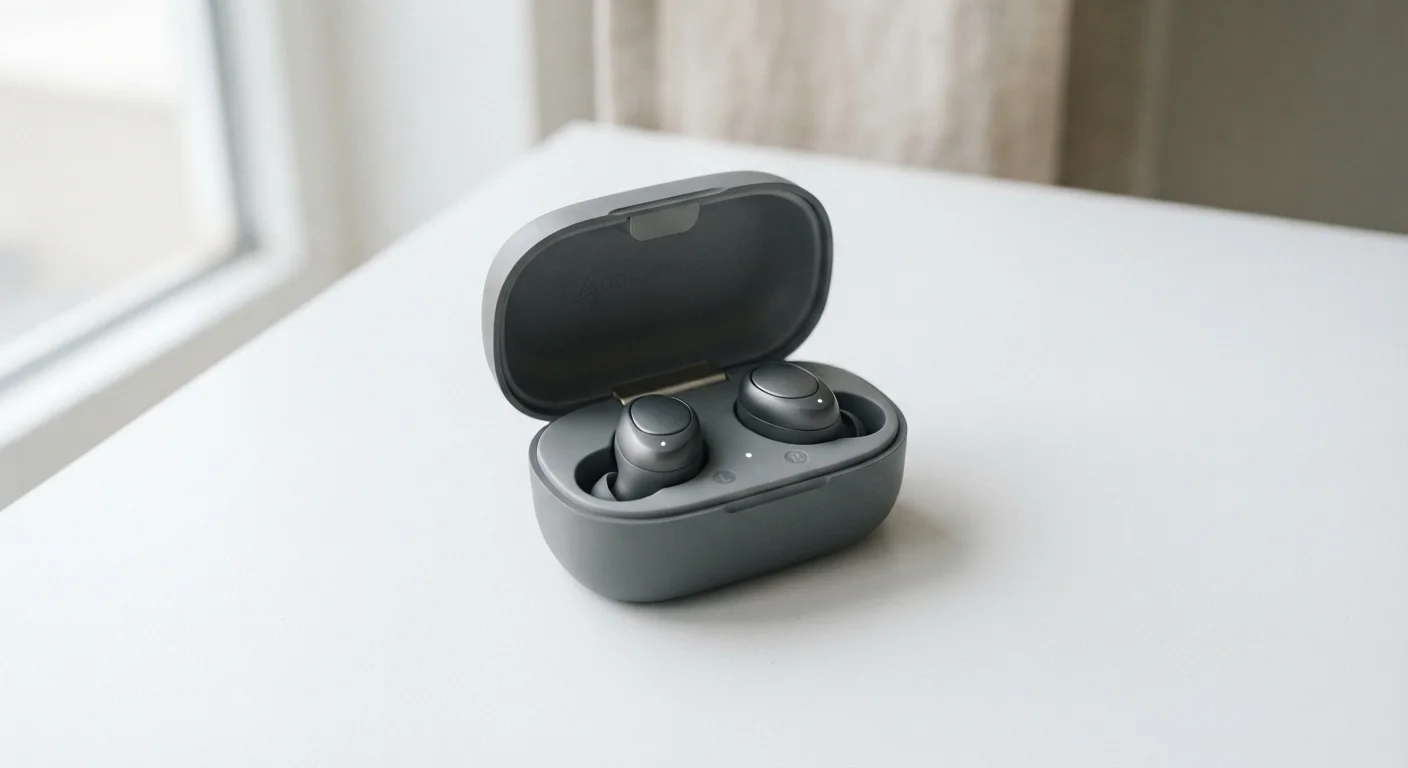
Each earbud contains its own battery, driver (the speaker element), microphone, and Bluetooth radio. They communicate with each other and your phone simultaneously. A compact charging case stores and recharges the earbuds when not in use, acting as a portable battery pack.
Understanding this architecture matters because it directly explains several common questions: why earbuds can run out of charge independently, why one earbud occasionally loses sync with the other, and why the case's battery capacity is just as important as the earbuds' own battery life.
True Wireless (TWS)
Earbuds with no cables of any kind - no wire to the device and no wire connecting the two earpieces to each other.
Bluetooth codec
The method used to compress and transmit audio data wirelessly. The codec affects sound quality; both your phone and your earbuds must support the same codec to use it.
Passive noise isolation
The physical blocking of outside sound achieved by the earbud's fit in the ear - no electronics involved. A good seal from silicone tips provides this automatically.
Active Noise Cancellation (ANC)
An electronic feature that uses microphones to detect ambient noise and generates an opposing signal to reduce it. It runs on processing power and draws extra battery.
IPX rating
A standardized rating indicating how resistant a device is to water. Higher numbers mean greater water resistance; IPX4 is common for earbuds and indicates protection from splashing.
Multipoint connection
The ability of earbuds to maintain an active Bluetooth connection to two separate devices at the same time, allowing quick switching between them.
How They Connect: Bluetooth and Audio Codecs
True wireless earbuds connect to your phone via Bluetooth, a short-range radio standard. Most earbuds available today use Bluetooth 5.0 or newer, which offers improved range and more stable connections compared to older versions. For a plain-language breakdown of what each Bluetooth version actually changed, see our Bluetooth versions reference guide.
Beyond Bluetooth version, audio codecs determine how sound data is compressed and transmitted. The three you'll encounter most often are:
- SBC - The universal fallback codec. Every Bluetooth earbud supports it, but it applies heavier compression, which can limit audio detail.
- AAC - Widely used on Apple devices. Delivers noticeably better audio quality than SBC on supported hardware.
- aptX / aptX HD / LDAC - Common in the Android ecosystem. These codecs can transmit higher-quality audio, but both your phone and your earbuds must support the same codec for it to activate.
In practice, codec differences are most audible when you're listening to high-resolution audio files. For podcasts, calls, and streaming music at standard quality, the gap is less dramatic.
Codec Compatibility Requires Both Sides
A codec only activates when both your phone and your earbuds support it. If your earbuds advertise LDAC but your phone doesn't support it, the connection will fall back to a lower-quality codec automatically. Check your phone's audio settings or manufacturer specifications to confirm which codecs your device supports before assuming you're getting the highest-quality audio.
Fit Types and Why Comfort Matters
True wireless earbuds come in two broad fit categories, and the right choice is deeply personal:
- In-ear (IEM-style) with silicone tips
- These create a seal inside the ear canal. That seal provides passive noise isolation - blocking ambient sound through physical barriers rather than electronics. Most people find these stay put during activity, but some find a tight seal uncomfortable over long sessions.
- Open or semi-open (no tips)
- These rest at the opening of the ear canal without sealing it. They're often more comfortable for extended wear and preserve better situational awareness. The trade-off is less bass response and minimal passive noise blocking.
Fit also affects microphone performance: a well-seated earbud positions mics correctly for call clarity. If earbuds fall out or sit loosely, call quality suffers. Many in-ear models include multiple tip sizes in the box - try each to find the best seal before drawing conclusions about sound quality.
Test Fit Before Judging Sound
If your in-ear earbuds sound thin or bass-light, try a different tip size before concluding the audio quality is poor. A poor seal is often responsible for underwhelming sound. Swap to a larger tip and retest - the difference is frequently dramatic.
Battery Life: What the Numbers Really Mean
Manufacturers measure battery life under controlled lab conditions: moderate volume, ANC off, and a specific codec. Real-world numbers are almost always lower. As a practical rule, expect roughly 70-80% of the advertised earbud runtime in everyday use, especially if you use ANC, take calls, or listen at higher volumes.
When evaluating battery claims, look at two figures together:
- Earbud battery life - how long a single charge lasts in the earbuds themselves.
- Total battery life with case - how many additional full charges the case can provide. A case rated for "30 hours total" with earbuds rated at "6 hours" means the case holds roughly four additional charges.
Some cases support fast charging, where 10-15 minutes in the case restores one to two hours of playback - a genuinely useful feature for people who frequently forget to charge. A smaller number of cases support wireless charging; if that matters to you, verify it's listed in the spec sheet rather than assuming. For context on what wireless charging actually involves, our wireless charging myths article covers common misconceptions worth knowing.
Features Worth Understanding Before You Buy
Several features appear frequently in earbud listings. Here's what they mean in plain terms:
- Active Noise Cancellation (ANC) - Uses microphones and processing to reduce ambient sound. Effective on steady low-frequency noise (planes, trains, HVAC). Less effective on voices or sudden sounds. Enabling ANC typically reduces battery life by 20-40%.
- Transparency mode - The inverse of ANC: microphones amplify outside sound so you can hear your environment without removing the earbuds. Useful for conversations or crossing streets.
- Multipoint connection - Allows earbuds to stay paired to two devices simultaneously, so you can switch between a laptop and phone without manually re-pairing.
- IPX rating - Indicates resistance to water and sweat. IPX4 means splash-resistant; higher numbers indicate greater protection. No consumer earbuds carry a full waterproof rating suitable for submersion.
- Touch controls - Most earbuds use tap or swipe gestures. The learning curve is real; accidental triggers are common until you adjust your habits.
Before committing to a purchase, it helps to think like an informed consumer - a habit our smart shopping overview explores in more depth. Knowing which features you'll genuinely use versus which sound appealing in a spec list is the difference between satisfaction and regret.