

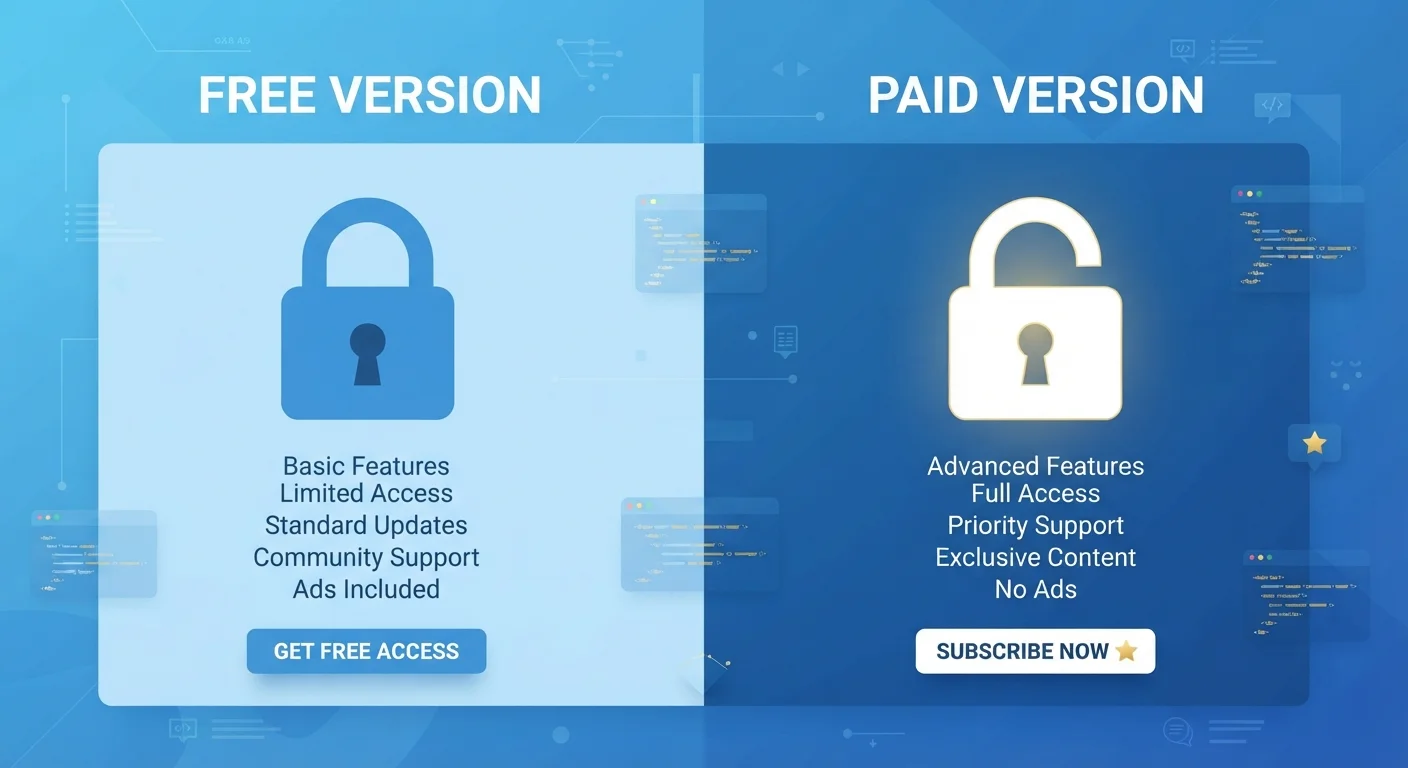
Key Takeaways
Full feature access removes workflow bottlenecks
Paid plans typically unlock exports, integrations, and advanced editing that free tiers deliberately withhold, letting you complete tasks without interruption.
Collaboration features become usable at scale
Real-time co-editing, shared permissions, and team workspaces are commonly reserved for paid plans, making tools viable for more than solo use.
Increased storage reduces file management friction
Paid tiers often offer substantially more cloud storage - sometimes ten times the free allowance - meaning you spend less time deleting or reorganizing files.
Ad-free experience protects focus and privacy
Removing ads improves the user experience and may reduce the amount of behavioral data collected, depending on the app's data practices.
Priority support provides faster problem resolution
Most paid plans include dedicated or faster customer support, which matters when a technical issue blocks time-sensitive work.
Monthly costs compound across multiple subscriptions
Paying for five or six tools at modest monthly rates can quietly exceed $300 to $500 per year, making it easy to overspend on software you use infrequently.
Free-tier limits are often engineered friction, not genuine constraints
Many restrictions - like limiting exports or capping project counts - are business decisions rather than technical ones, which means the "problem" only exists to encourage upgrades.
Paid plans may include features you'll never use
Enterprise-oriented tiers bundle advanced admin, compliance, or analytics tools that add cost without adding value for everyday individual users.
Price increases can occur after you're locked in
Software companies periodically raise subscription prices or restructure tiers, and switching away from a tool you've integrated into your workflow carries its own switching cost.
Data portability may be restricted on free tiers
Some platforms limit export options on free plans, making it harder to move your data out if you decide to stop using the service.
Our Verdict
Free software tiers are genuinely useful for light or occasional use, but they're designed to create friction at the exact moments you need the most. Paid tiers remove those friction points and unlock meaningful functionality - but only justify the cost if you use the tool consistently enough to benefit from what's unlocked.
Upgrading is worth it for users who rely on a tool daily, collaborate with others, or have hit a free-tier ceiling that's blocking real progress.
How Freemium Models Are Designed to Work
The freemium model - offering a functional free version alongside a paid upgrade - is now the dominant distribution strategy for consumer and business software alike. The logic is straightforward: let users in for free, demonstrate value, and then introduce limits that paid plans remove. Understanding this structure helps you make smarter decisions rather than feeling pushed into upgrades.
Free tiers are rarely stripped-down accidents. They're deliberately engineered to be useful enough to attract users but constrained enough to encourage conversions. Common restrictions include caps on storage, limits on the number of projects or files, export restrictions, removal of collaboration features, and the presence of ads. The specific limits vary by product category - cloud storage services tend to cap gigabytes, productivity apps may restrict document counts, and creative tools often lock export quality or file formats behind a paywall.
It's also worth noting that free tiers have real costs for the companies providing them. Servers, bandwidth, and support aren't free - meaning a free tier is an investment the company expects to recoup through eventual upgrades or advertising. That context helps explain why restrictions tighten over time as companies adjust their conversion strategies.
What You Actually Give Up on a Free Tier
Monthly costs compound across multiple subscriptions
Paying for five or six tools at modest monthly rates can quietly exceed $300 to $500 per year, making it easy to overspend on software you use infrequently.
Free-tier limits are often engineered friction, not genuine constraints
Many restrictions - like limiting exports or capping project counts - are business decisions rather than technical ones, which means the "problem" only exists to encourage upgrades.
Paid plans may include features you'll never use
Enterprise-oriented tiers bundle advanced admin, compliance, or analytics tools that add cost without adding value for everyday individual users.
Price increases can occur after you're locked in
Software companies periodically raise subscription prices or restructure tiers, and switching away from a tool you've integrated into your workflow carries its own switching cost.
Data portability may be restricted on free tiers
Some platforms limit export options on free plans, making it harder to move your data out if you decide to stop using the service.
The most frustrating free-tier restrictions tend to appear at high-value moments: when you need to share a finished file, export at full resolution, or collaborate with a colleague in real time. These aren't accidental - they're the features most likely to push users toward upgrading.
Storage limits are among the most common friction points. Many cloud-based tools offer a few gigabytes free, which feels generous at first but fills up faster than expected as files accumulate. Similarly, collaboration caps - such as limiting a shared workspace to two or three users - can make a tool impractical for even a small household or team.
Ad-supported free tiers carry a different kind of cost: your attention and, in some cases, your usage data. Whether that trade-off feels acceptable depends on the sensitivity of what you're doing in the app and how intrusive the ads are in practice.
What You Actually Gain by Paying
Full feature access removes workflow bottlenecks
Paid plans typically unlock exports, integrations, and advanced editing that free tiers deliberately withhold, letting you complete tasks without interruption.
Collaboration features become usable at scale
Real-time co-editing, shared permissions, and team workspaces are commonly reserved for paid plans, making tools viable for more than solo use.
Increased storage reduces file management friction
Paid tiers often offer substantially more cloud storage - sometimes ten times the free allowance - meaning you spend less time deleting or reorganizing files.
Ad-free experience protects focus and privacy
Removing ads improves the user experience and may reduce the amount of behavioral data collected, depending on the app's data practices.
Priority support provides faster problem resolution
Most paid plans include dedicated or faster customer support, which matters when a technical issue blocks time-sensitive work.
Paid tiers don't just remove limits - they often introduce features that make a tool meaningfully more powerful. Version history, priority support, advanced automation, and offline access are common additions that change how useful an app can be in practice.
For collaborative work, paid plans frequently enable real-time co-editing, shared team libraries, or admin controls that make a tool viable for more than one person. If you're using software with a partner, family member, or small work group, this alone can justify the cost.
There's also a reliability consideration. Paid users typically receive more stable service commitments, faster support responses, and earlier access to new features. For tools you depend on regularly, that stability can matter more than any single feature unlock.
A Practical Framework for Deciding Whether to Upgrade
The most useful question isn't "is the paid tier worth it in general?" - it's "does upgrading solve a real problem I'm currently experiencing?" If a free-tier limit has never slowed you down, paying to remove it rarely adds value. But if you've hit the same wall repeatedly, the upgrade cost often makes sense.
Annual Cost Is the Right Unit to Use
Software companies typically advertise monthly prices, which can make a plan feel more affordable than it is. Before upgrading, calculate the annual cost and weigh it against how often you actually use the tool. A $10/month app you open twice a month costs $120 a year - a number that looks different against the value you're getting.
Consider how many similar tools you're already paying for. Subscription costs compound quickly - a few dollars per month across five or six apps adds up to hundreds of dollars annually. Tools that overlap in function are good candidates for consolidation. See our guide on auditing your active app subscriptions for a practical way to review what you're actually paying for.
It's also worth comparing how a paid app works across platforms before committing. The same subscription may behave differently in a browser versus a downloaded app. Native apps versus browser-based tools have distinct trade-offs that can affect how much value you get from a paid plan.
~5%
Typical freemium-to-paid conversion rate
Industry analyses of freemium software models generally estimate that roughly 2-5% of free users convert to a paid plan, illustrating how deliberately limited free tiers are designed to be.
$273
Average annual spend on app subscriptions per U.S. adult
Consumer research by C+R Research found that Americans frequently underestimate their total subscription spending, often by a significant margin.