

Key Takeaways
App Permissions
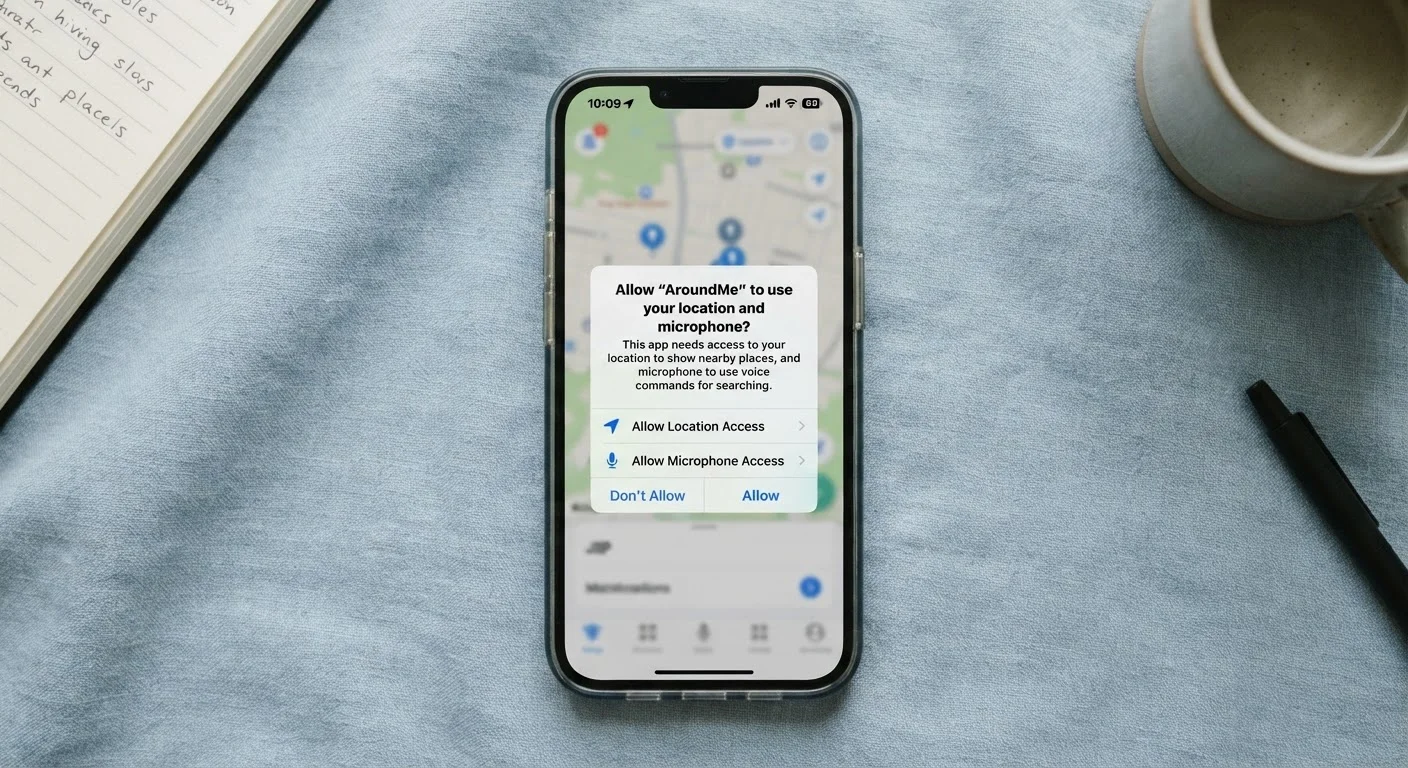
App permissions are requests an app makes to access specific features or data on your phone - such as your camera, location, contacts, or microphone. When you tap "Allow" or "Deny," you decide what that app can and cannot reach. These controls are built into both iOS and Android to give users a layer of oversight over how their data is used.
On modern mobile operating systems, permissions are enforced at the OS level, meaning even if an app's code attempts to access a restricted resource, the operating system blocks it unless the user has explicitly granted that permission.
What App Permissions Actually Are
Every time a newly installed app asks to access your camera, location, or contacts, it's making a formal permission request. Your phone's operating system intercepts that request and puts the decision in your hands before the app can proceed. This isn't a courtesy - it's a technical gate. Without your approval, a well-designed OS won't hand over access regardless of what the app wants.
Permissions fall into two broad categories. Normal permissions - like accessing the internet or checking network state - are granted automatically because they pose minimal privacy risk. Dangerous permissions is the technical term used by Android (iOS uses similar logic) for access to sensitive data: your precise location, camera, microphone, contacts, call logs, and storage. These require your explicit consent.
Understanding this system is the first step toward using it deliberately. For a broader look at how the apps themselves are vetted before they even reach your phone, see how app stores work and what they don't tell you.
45%
Apps requesting location access on Android
Research by the International Computer Science Institute found that a significant share of Android apps request location data, often beyond what their core function requires.
2 in 3
Users who accept default permissions without reviewing
Studies on mobile user behavior consistently find that most people tap through permission prompts quickly rather than evaluating each request individually.
1 in 3
Apps that share data with third parties
Privacy analysis from academic researchers has found that a substantial portion of popular mobile apps transmit user data to advertising or analytics networks.
The Permissions That Carry the Most Risk
Not all permissions are equal. Some share data that's mildly useful to an app; others can reveal a detailed picture of your daily life.
- Location: Precise GPS coordinates are among the most sensitive data points on your phone. They can reveal where you live, work, worship, and seek medical care. The "While Using" option limits exposure substantially compared to "Always On."
- Microphone: Necessary for voice and video apps, but microphone access granted carelessly can raise legitimate concerns. If an app has no audio feature, the request is worth questioning.
- Contacts: Sharing your contact list means sharing information about people who never agreed to share it. Social apps commonly request this to suggest connections, but the trade-off is worth considering.
- Camera: Photo and video apps obviously need this. Other apps may request it for QR scanning or video chat - both legitimate - but an app with no visual function should not need your camera.
- Storage/Photos: Access to your entire photo library gives an app visibility into years of personal images and potentially embedded location metadata from those photos.
Use "Only While Using" as Your Default
For any location-based permission, start with "Only While Using the App" rather than "Always." Most apps that legitimately need location - maps, ride-sharing, weather - work perfectly with this setting. You can always upgrade to "Always" later if you find a specific feature genuinely requires it.
For a deeper look at connected devices that raise similar permission concerns, our piece on smart speakers, their capabilities, and privacy trade-offs covers always-on microphone environments in detail.
How to Review and Manage Permissions Right Now
Both major mobile platforms make it straightforward to audit what you've already allowed.
On iPhone (iOS): Go to Settings → scroll to the app name → tap it to see every permission it currently holds. Alternatively, go to Settings → Privacy & Security to see which apps have requested each type of access, organized by category (Location Services, Camera, Microphone, etc.).
On Android: Go to Settings → Apps → select an app → Permissions to review its access. Or navigate to Settings → Privacy → Permission Manager to see all apps using a specific permission type.
A practical habit: after installing any new app, visit its permission settings before launching it for the first time. You'll often find the defaults are more permissive than necessary.
Permissions Reset After App Updates
On some versions of Android, a major app update can trigger new permission requests, and previously denied permissions may be re-requested. It's worth re-checking permissions for apps you update, especially if you notice a new prompt appearing after an update.
This kind of proactive review pairs well with the broader privacy audit described in our guide on settings most people never change that put their privacy at risk.
A Useful Rule of Thumb: Does the Request Make Sense?
The most reliable filter for evaluating any permission request is simple: does this app need this access to do its job? A mapping app needs location. A voice recorder needs the microphone. A note-taking app does not need either.
When permissions don't match an app's stated function, they typically reflect data collection for advertising or analytics purposes - legal under most terms of service, but worth knowing. You're not required to agree. Denying a permission is always an option, and for many apps it won't meaningfully affect usability.
“The data you share through app permissions isn't just about you - it creates profiles, informs algorithms, and can follow you across services in ways most users don't anticipate.”
— Privacy and Security Research Community, Consensus view from academic and consumer-advocacy researchers in mobile privacy
If you're evaluating whether an installed native app is worth keeping versus deleting, your phone's built-in apps are more powerful than you think - and built-in apps often need fewer third-party permissions to accomplish the same tasks.
Taking five minutes to review app permissions is one of the most direct, no-cost ways to reduce unnecessary data sharing from your device.