

Key Takeaways
How Smart Speakers Actually Work
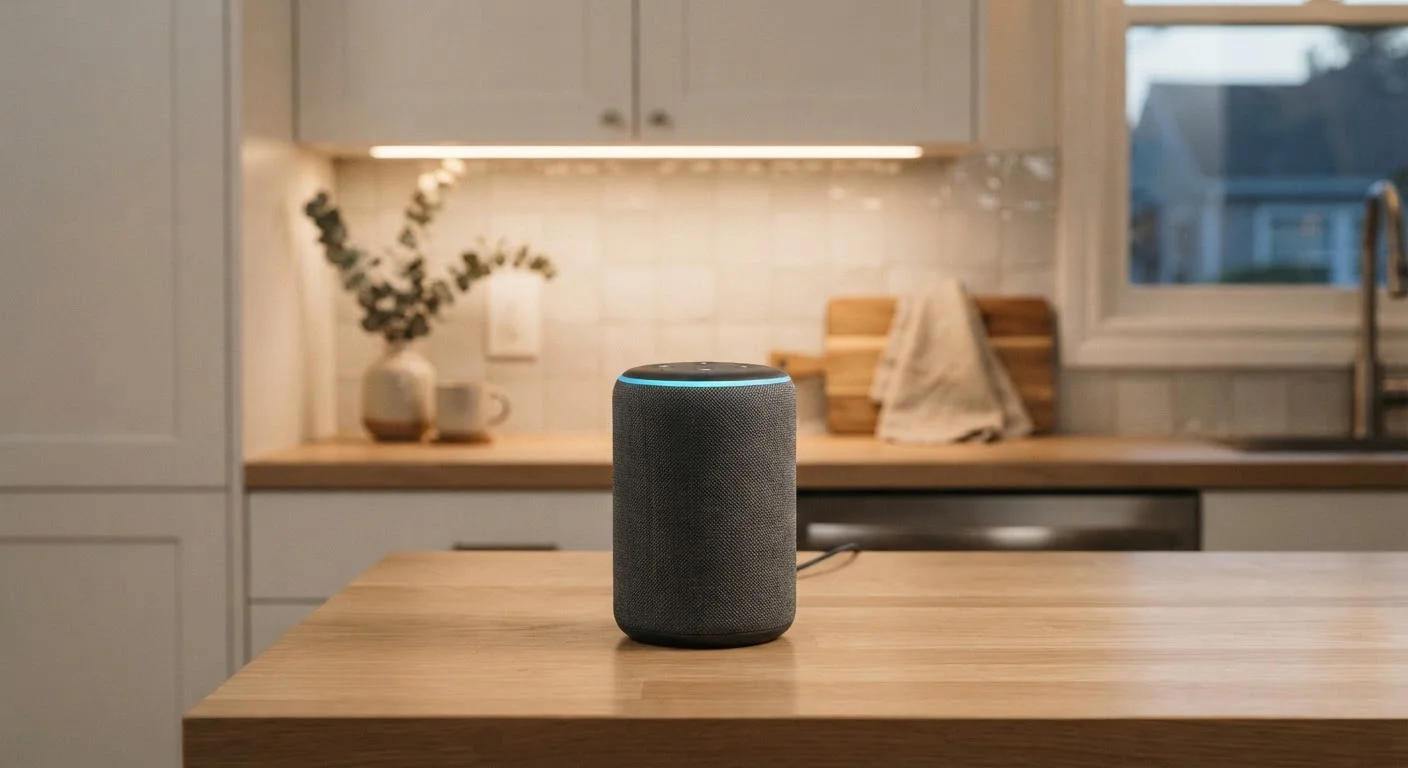
A smart speaker is a microphone-equipped device that pairs with a cloud-based voice assistant. The hardware listens continuously at a low level for a specific wake word - a short phrase like "Hey Alexa" or "OK Google" - using a small, locally processed model that runs on the device itself. No audio is sent to the cloud during this passive listening phase.
Once the wake word is detected, the device begins capturing audio and streams it to the manufacturer's servers. Those servers apply much more powerful speech-recognition and natural language processing to interpret your request, formulate a response, and send it back - all typically within a second or two. The response is then played through the speaker.
This architecture means the device is always listening for the trigger phrase but is not constantly transmitting everything you say. That distinction matters, though it does not eliminate privacy concerns entirely - as covered in a later section.
~35%
U.S. adults who own a smart speaker
Pew Research Center surveys have consistently placed smart speaker ownership among roughly a third of American adults.
Milliseconds
Time for wake-word detection locally
On-device wake-word models are designed to process audio in real time without cloud connectivity, typically detecting triggers in under a second.
Multiple times/day
Average false activations per device
Academic research published by Northeastern University found smart speakers activated unintentionally multiple times daily under normal household conditions.
What Smart Speakers Can and Can't Do
Smart speakers handle a genuinely useful range of tasks: playing music and podcasts, setting timers and alarms, answering factual questions, controlling compatible smart home devices, reading weather and news briefings, and placing hands-free calls. When integrated with a compatible smart home ecosystem, they can also coordinate multiple devices - dimming lights while starting a playlist, for example.
Their limitations are equally real. Smart speakers struggle with:
- Complex, multi-step queries - they work best with direct, single-intent commands.
- Nuanced or sensitive information - medical, legal, or financial questions should never be relied upon; treat any answer as a starting point, not authoritative guidance.
- Noisy environments - background noise degrades wake-word accuracy and transcription quality.
- Accented or atypical speech - voice recognition systems are trained predominantly on certain demographic profiles and have documented accuracy gaps for other speakers.
- Privacy-sensitive conversations - they are not appropriate devices for rooms where sensitive discussions routinely occur.
If you're weighing a smart speaker against a device with a screen, our editorial piece on smart display trade-offs walks through what each form factor actually offers.
Before placing a smart speaker, map out which rooms host sensitive conversations - finances, health, or personal matters - and keep the device out of those spaces entirely.
Physical separation is a more durable control than software settings, which can change with firmware updates or platform policy changes.
Set a calendar reminder to audit your voice recording history quarterly. Most platforms make deletion easy once you find the setting, but they don't remind you it exists.
Recordings accumulate silently. Regular deletion limits the historical profile a platform holds on your household's speech patterns and queries.
The Privacy Trade-Offs of Always-On Microphones
The core privacy concern with smart speakers is false wake-word activation. Because the detection model is probabilistic rather than perfect, conversations containing sounds similar to the wake word can trigger recording and cloud transmission without the user's intent. Researchers and journalists have documented this consistently across multiple platforms.
When a recording is sent to the cloud, it is processed by automated systems - and, in some cases, reviewed by human contractors for quality-assurance purposes. Manufacturers have acknowledged these practices, which are typically described in privacy policies but not prominently surfaced during setup.
Your Recordings Are Stored by Default
Every major smart speaker platform retains voice recordings on its servers unless you actively configure deletion. Some platforms now offer auto-delete options (after 3 or 18 months, for example), but these must be enabled manually. Assuming your recordings disappear automatically is a common and consequential misconception - check your platform's privacy settings directly.
Voice recordings are retained by default on most platforms. Each major assistant ecosystem provides a portal where you can review, audit, and delete recordings - but you have to opt in to that management; deletion is rarely automatic.
Data collected through your smart speaker may also be used to build a profile that informs targeted advertising, depending on the platform and how it connects to other services. For a broader grounding in how data flows between your devices and third parties, see our guide on digital privacy basics.
“The microphone is the most sensitive sensor in your home. Unlike a camera, which you can cover, a microphone's collection is invisible - and most people have no mental model of when it's capturing audio and when it isn't.”
— Florian Schaub, Privacy and Usable Security Researcher, University of Michigan
How to Limit Your Exposure Without Losing Functionality
Most smart speaker platforms offer meaningful privacy controls, but few of them are enabled by default. The following steps reduce common risks without fully disabling the device:
- Mute the microphone hardware when you don't need voice control. A physical mute switch disconnects the microphone at the hardware level - far more reliable than software-only controls.
- Disable voice purchasing unless you actively use it, and add a confirmation code if your platform supports one.
- Audit your voice history regularly through the manufacturer's companion app or web portal, and delete recordings you don't want retained.
- Opt out of human review where that option is available in privacy settings.
- Place the device thoughtfully - avoid bedrooms, home offices, or rooms where private conversations are routine.
These steps parallel broader phone app hygiene. Our coverage of app permissions and privacy explains the same logic applied to mobile software. Also worth reviewing: privacy settings most people overlook.
Use the Hardware Mute Button Consistently
Every reputable smart speaker includes a physical microphone mute button. When enabled, it typically disconnects the microphone at the hardware level - not just in software. Make a habit of muting the device when hosting guests, having sensitive conversations, or during hours when you won't use voice features. It's the simplest and most reliable privacy control available.
Is a Smart Speaker Right for You?
A smart speaker delivers real convenience for specific use cases - hands-free timers, quick music control, smart home coordination - but it comes with a set of trade-offs that are worth understanding before you plug one in. The privacy considerations are not hypothetical: false activations happen, recordings are stored, and data practices vary by platform.
For most households, the risks are manageable with active configuration. For households with strong privacy requirements - or people who simply don't want an always-on microphone in their home - that calculus may come out differently, and that's a completely reasonable conclusion.
If you're setting up a smart speaker as part of a broader smart home, review our practical checklist on what to check before setting up any new smart home device before you connect anything to your network.
This article provides general technology information and education only. It does not constitute personal security, privacy, or legal advice. Privacy policies and platform features change over time - consult official manufacturer documentation and, for sensitive situations, a qualified professional.