

Key Takeaways
Hands-free visual access to information
The screen lets you check timers, recipes, or calendars with a glance rather than a tap, which is especially useful in the kitchen or while occupied with another task.
Capable video calling terminal
For households that video call frequently, a dedicated countertop screen can be more convenient than propping up a phone or opening a laptop, particularly for group calls.
Visual smart home control panel
Compatible devices can display door camera feeds, show the status of connected lights and thermostats, and allow adjustments through a touchscreen - not just voice commands.
Ambient clock and information display
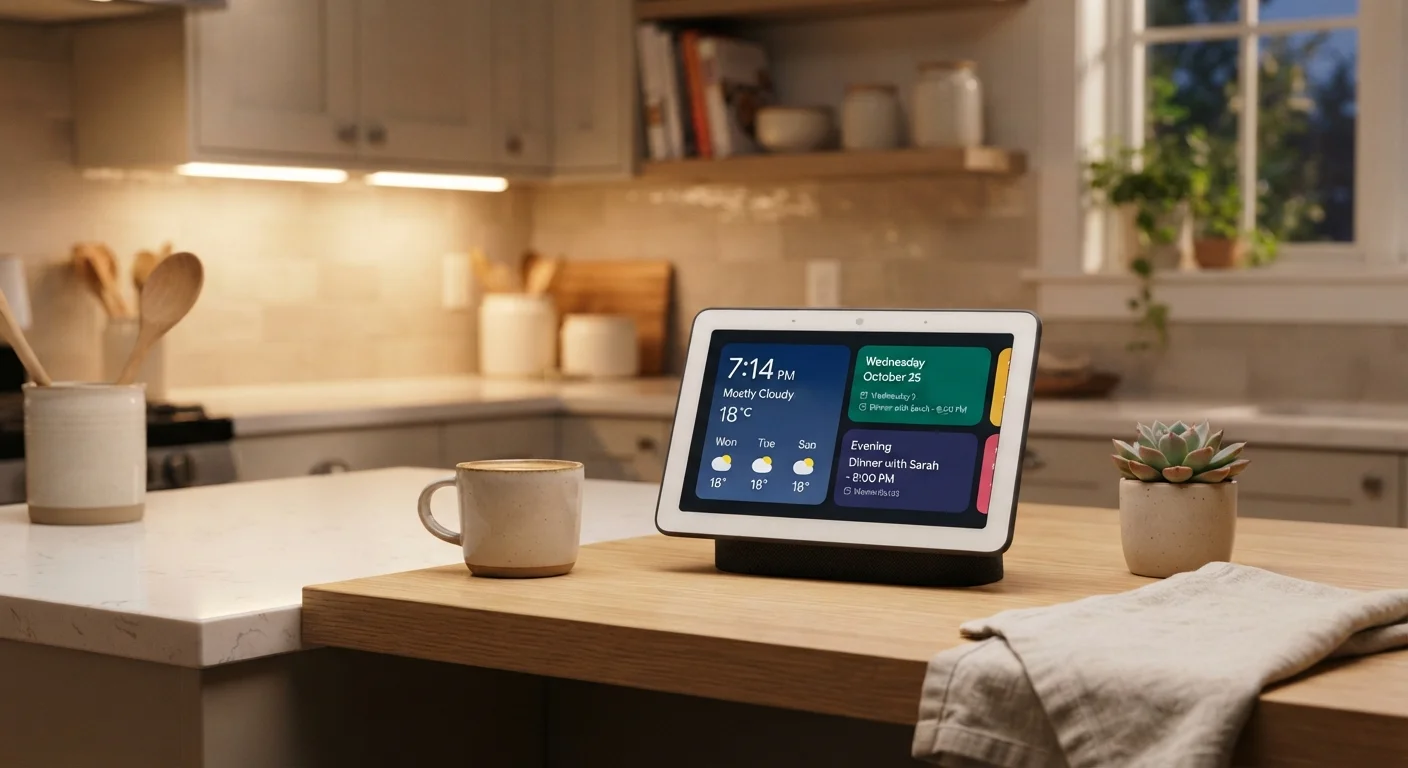
When idle, smart displays can show the time, weather, upcoming calendar events, or rotating photo albums, making them functional even when not actively in use.
Combines multiple functions in one device
A single device covers music playback, video calls, smart home control, and quick information lookups - reducing the number of separate gadgets needed on a countertop.
Always-on microphone raises privacy concerns
The device continuously listens for its wake word, which means audio data is processed and, in some cases, transmitted to manufacturer servers - a trade-off that requires informed consent.
Significant ecosystem lock-in
Smart displays are platform-specific, and full functionality depends on using compatible services and smart home hardware. Switching ecosystems later can mean starting over with new devices.
Screen too small for extended media consumption
Most smart display screens are designed for glancing and short interactions, not for watching films or reading long-form content comfortably.
Camera adds a separate privacy consideration
Devices with built-in cameras introduce a visual monitoring dimension that audio-only speakers don't have, requiring users to actively manage the physical shutter or placement.
Limited functionality without a strong internet connection
Nearly all smart display capabilities depend on cloud services, meaning a slow or interrupted connection significantly degrades the experience compared to standalone devices.
Software support timelines are uncertain
Like many smart home devices, smart displays may stop receiving software updates after several years, which can create security vulnerabilities or degrade platform compatibility over time.
Our Verdict
Smart displays offer a genuinely convenient upgrade from audio-only voice assistants, particularly for households that cook, video call frequently, or manage smart home devices. However, the privacy trade-offs, ecosystem lock-in, and limited screen real estate mean they aren't a fit for everyone. Going in with clear expectations about what the device will and won't replace is the key to satisfaction.
Households already invested in a smart home ecosystem who want hands-free access to visual information in shared spaces like kitchens or living rooms.
What a Smart Display Actually Is
A smart display is a countertop device that pairs a touchscreen - typically ranging from 5 to 15 inches - with a built-in speaker and a voice assistant. Think of it as a smart speaker that gained a screen: you can still ask questions and control smart home devices by voice, but you can now also see recipe steps, watch video, conduct video calls, and view a visual calendar or clock face.
The screen changes the interaction model in meaningful ways. Rather than waiting for a spoken response, you get visual confirmation. A recipe assistant can show you the next step while keeping your hands free. A video call displays the other person rather than just their voice. That said, the display is typically not designed for extended watching - screen sizes and viewing angles are more suited to glancing than bingeing. For a deeper look at how display panel technologies affect everyday image quality, see our display technologies comparison.
The Genuine Advantages
Hands-free visual access to information
The screen lets you check timers, recipes, or calendars with a glance rather than a tap, which is especially useful in the kitchen or while occupied with another task.
Capable video calling terminal
For households that video call frequently, a dedicated countertop screen can be more convenient than propping up a phone or opening a laptop, particularly for group calls.
Visual smart home control panel
Compatible devices can display door camera feeds, show the status of connected lights and thermostats, and allow adjustments through a touchscreen - not just voice commands.
Ambient clock and information display
When idle, smart displays can show the time, weather, upcoming calendar events, or rotating photo albums, making them functional even when not actively in use.
Combines multiple functions in one device
A single device covers music playback, video calls, smart home control, and quick information lookups - reducing the number of separate gadgets needed on a countertop.
The most practical benefit is ambient, hands-free access to visual information. In a kitchen, being able to glance at a timer countdown or a step-by-step recipe without touching a screen - or asking for the next step out loud - is a real quality-of-life improvement over audio-only devices. The same applies to checking a morning briefing or weather forecast while getting ready.
Smart displays also serve as capable video calling terminals for many households, particularly useful for family members who find dedicated apps on phones or laptops cumbersome. When integrated with a compatible smart home setup, they can function as a control panel - showing camera feeds, adjusting thermostats, or managing lighting through a visual interface rather than purely by voice.
The Real Limitations
Always-on microphone raises privacy concerns
The device continuously listens for its wake word, which means audio data is processed and, in some cases, transmitted to manufacturer servers - a trade-off that requires informed consent.
Significant ecosystem lock-in
Smart displays are platform-specific, and full functionality depends on using compatible services and smart home hardware. Switching ecosystems later can mean starting over with new devices.
Screen too small for extended media consumption
Most smart display screens are designed for glancing and short interactions, not for watching films or reading long-form content comfortably.
Camera adds a separate privacy consideration
Devices with built-in cameras introduce a visual monitoring dimension that audio-only speakers don't have, requiring users to actively manage the physical shutter or placement.
Limited functionality without a strong internet connection
Nearly all smart display capabilities depend on cloud services, meaning a slow or interrupted connection significantly degrades the experience compared to standalone devices.
Software support timelines are uncertain
Like many smart home devices, smart displays may stop receiving software updates after several years, which can create security vulnerabilities or degrade platform compatibility over time.
Ecosystem lock-in is one of the most significant practical constraints. Smart displays are tightly tied to their respective platform ecosystems. A device built around one voice assistant may not integrate smoothly with smart home hardware or subscription services aligned to a competing ecosystem. Before committing, it's worth auditing which platforms your existing devices and services already use.
Screen size also limits what the device can realistically do. A 10-inch display is adequate for a recipe or a quick video call, but it doesn't replace a tablet for reading or a television for streaming. Understanding that distinction upfront - rather than expecting one device to serve all visual media needs - is important. For context on how smart displays fit alongside other streaming options, our streaming device comparison covers the broader landscape.
Privacy: What You Should Know
Smart displays include always-on microphones, and models with cameras add another layer of consideration. The microphones listen for a wake word, which means the device is continuously processing ambient audio to detect that trigger. While reputable manufacturers publish policies describing when recordings are stored or reviewed, these policies can change, and the underlying architecture means audio data does travel off-device.
Physical Camera Controls Matter
Most smart displays with built-in cameras include a hardware shutter or physical switch that disables the lens independently of the software. This is a meaningful privacy control because it cannot be overridden by software updates or remote access. If camera privacy is a concern, verifying that a device includes a hardware disable - not just a software toggle - is worth checking before purchase.
The camera, where present, typically includes a physical shutter or disable switch - a hardware control that prevents the lens from capturing even if the software is compromised. Using this feature when the device isn't actively being used for video calls is a straightforward privacy measure. For a broader framework on managing connected devices in a shared home, see our multi-device household security guide.
Those weighing whether more connected screens align with their lifestyle goals may also find it useful to consider the broader context around screen time - our digital detox trade-offs article offers a balanced perspective.
How It Compares to a Smart Speaker
The most direct alternative is an audio-only smart speaker, which shares the voice assistant and smart home control capabilities without any screen. Smart speakers typically cost less, take up less space, and raise a narrower privacy footprint by omitting the camera. If visual output isn't a priority - if the main use cases are music, timers, and quick queries - a smart speaker may deliver most of the value at lower cost and complexity.
Our full guide to smart speakers covers exactly what audio-only devices can and can't do, including how voice recognition works and what privacy trade-offs come with always-on microphones. Comparing both categories side by side before purchasing is worthwhile.
~5-15"
Typical smart display screen size range
Screen sizes across major smart display product lines generally fall between 5 and 15 inches, with larger screens suited to shared-space use and smaller ones to bedside or office placement.
3-in-1
Core functions in a single device
Smart displays combine a speaker, microphone array, and touchscreen in one unit, consolidating functions that would otherwise require separate devices.